Getting your app to production on Google Play requires 12 testers for 14 continuous days. This guide walks you through the exact steps - from selecting countries to submitting for review - so your closed testing track is properly configured and your testers are counted.
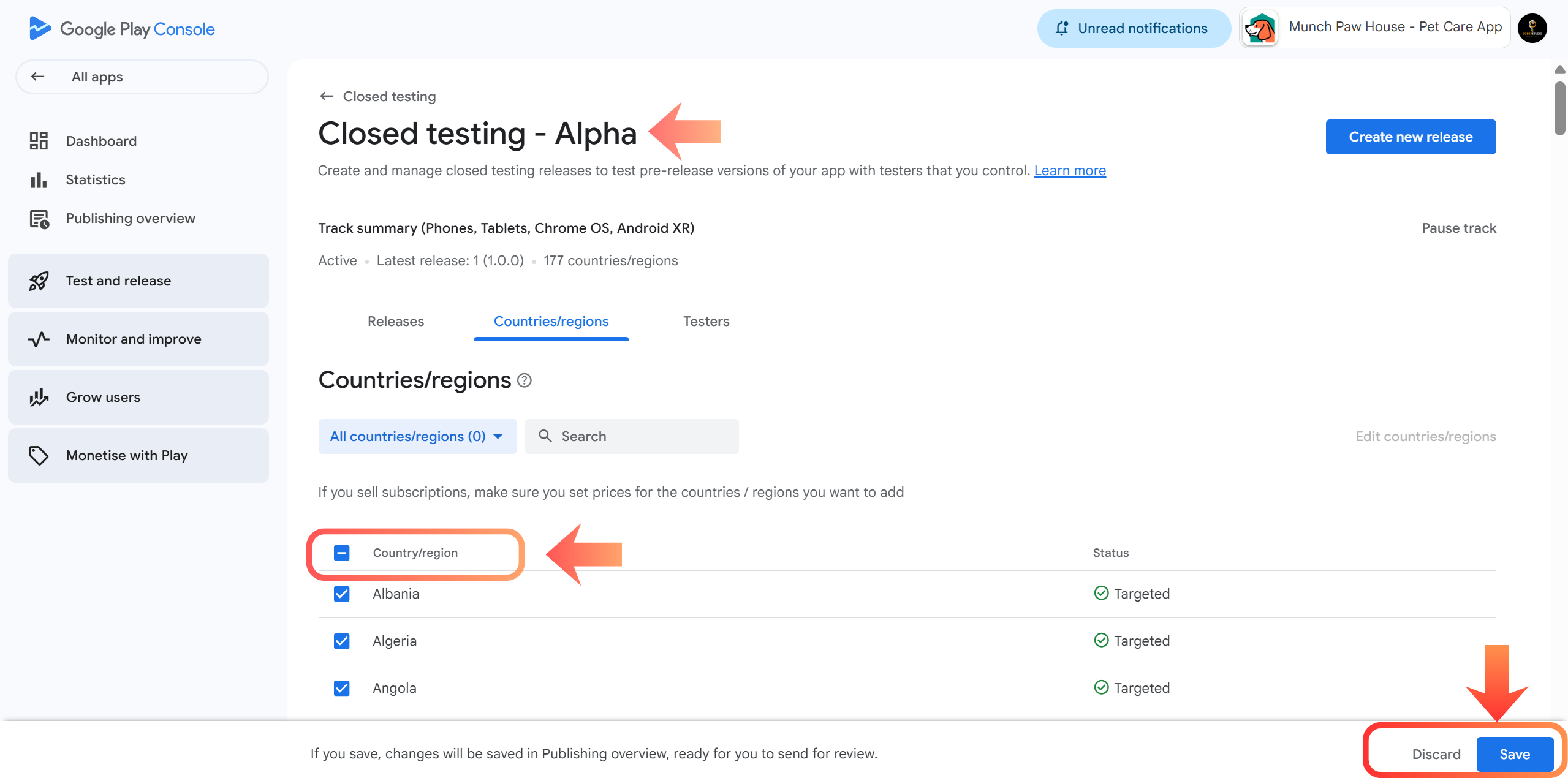
Select Countries
Go to Countries/Regions, select All countries (recommended), and click Save. This ensures testers worldwide can access your app without "App not available in your country" errors.
- Navigate to Production or Testing (Closed Testing).
- Click the Countries/regions tab.
- Select Add countries/regions and check the box for All countries/regions.
- Click Save.
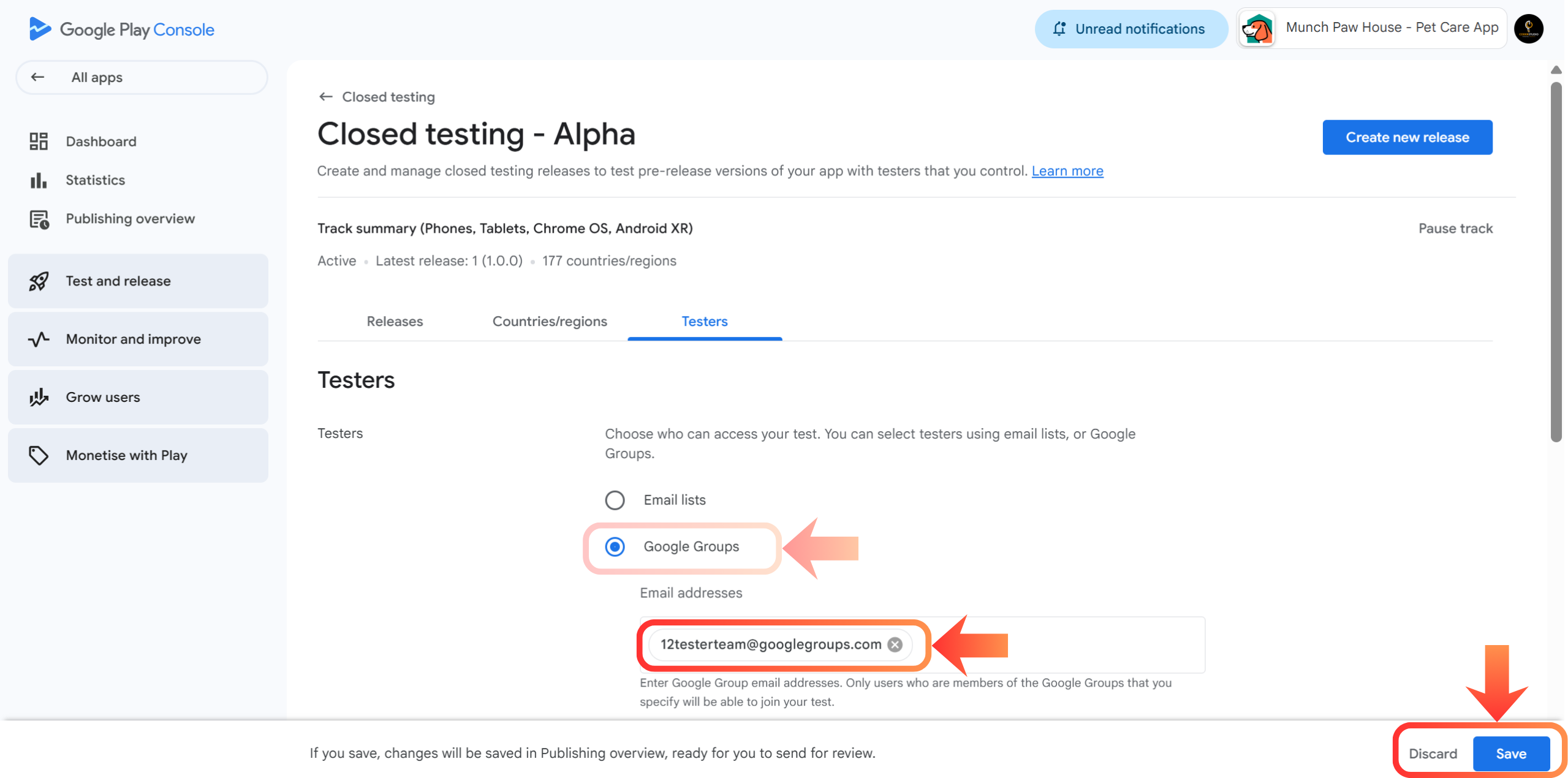
Add Google Group
Open the Testers section, select Google Groups, and add the group:
ClosedTestHelp@googlegroups.com
Save the changes to connect your app with our verified testing network.
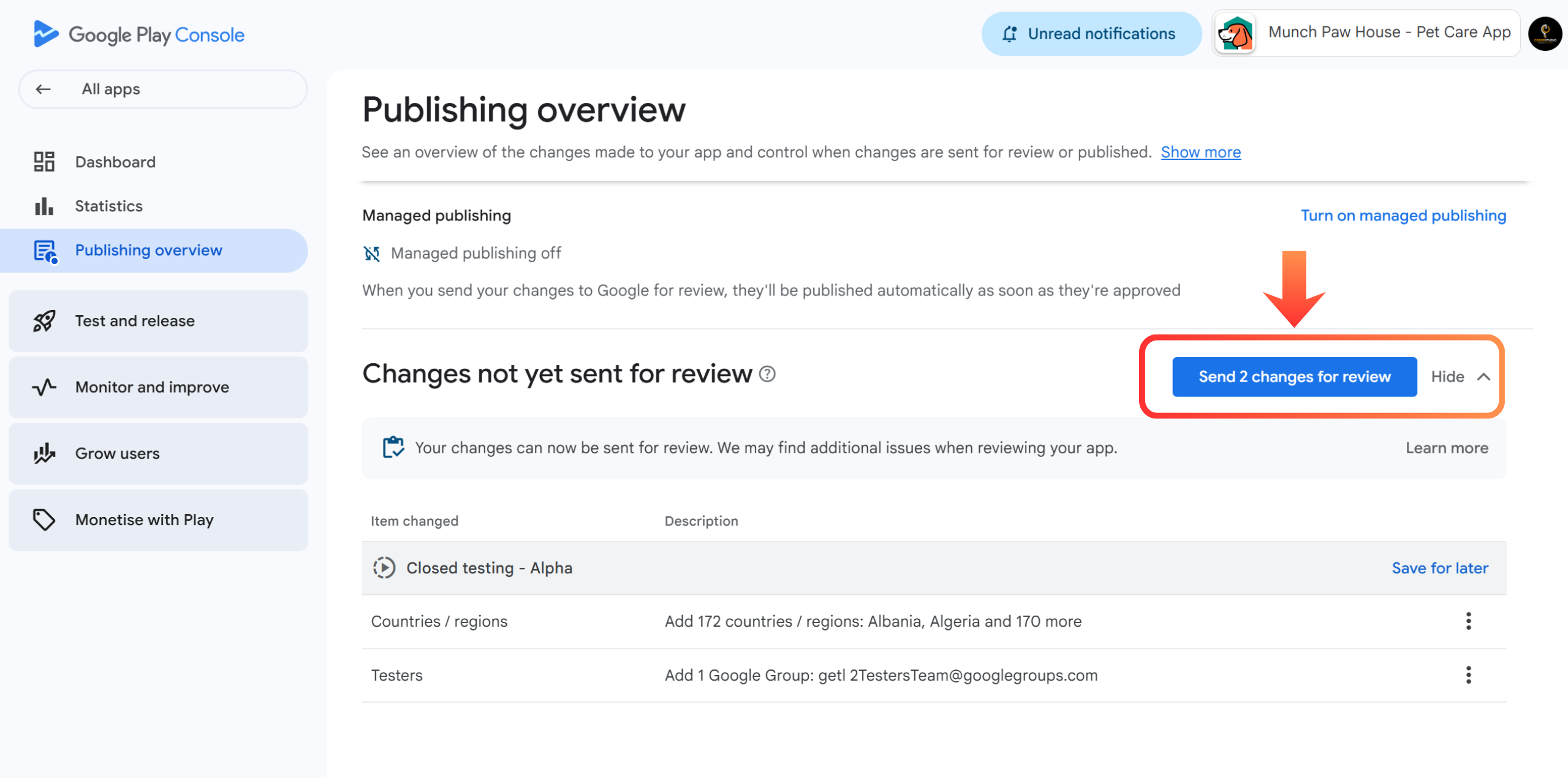
Submit for Review
Review any pending changes and click Send changes for review. Wait for Google's approval. Once approved, your app will be ready for closed testing.
- Go to Closed Testing and click Create new release.
- Upload your
.aab(App Bundle) file. - Provide clear Release notes (e.g., "Initial closed testing release").
- Click Review release and then Start rollout to Closed testing.
Track Testing Status
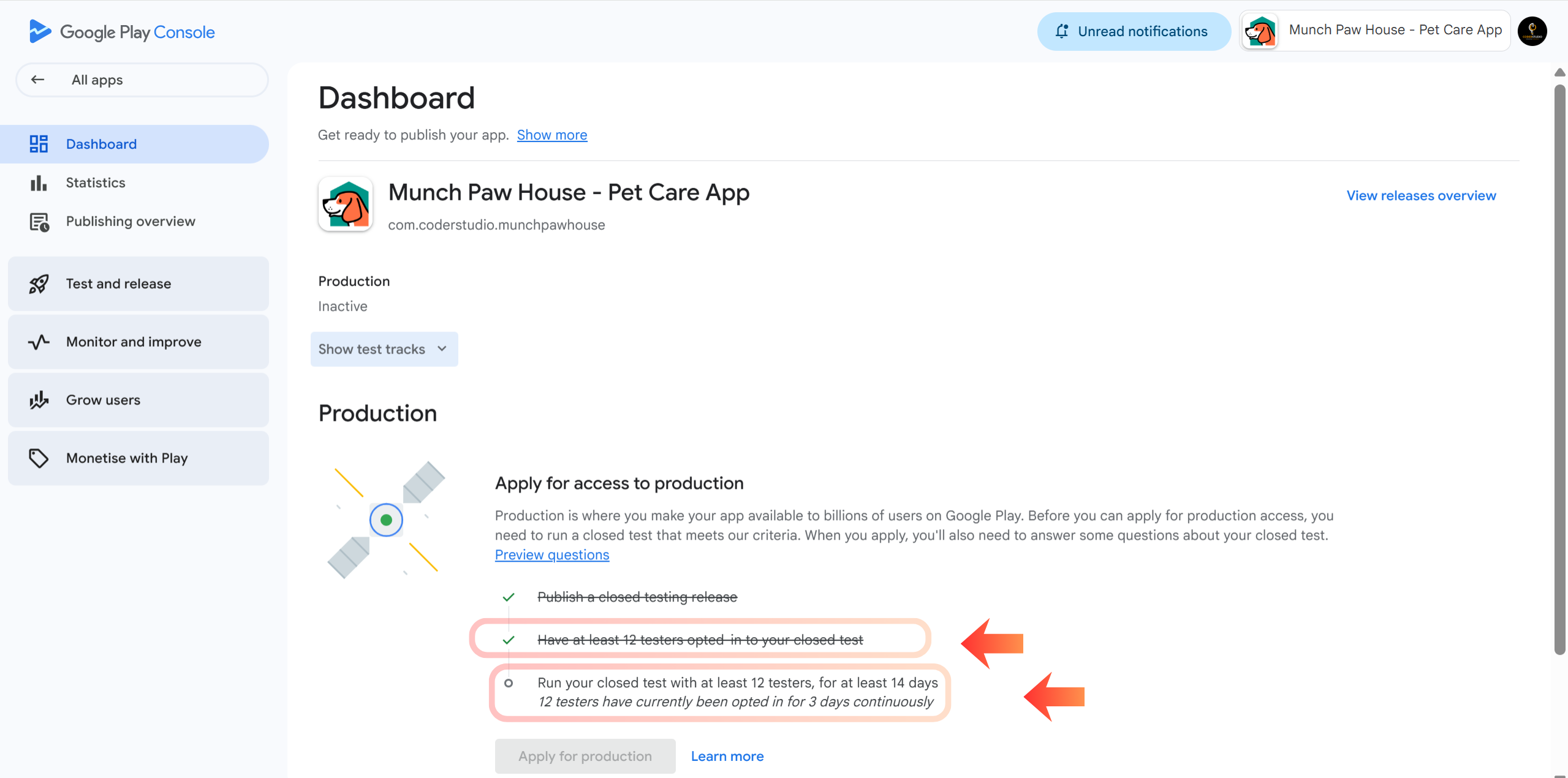
Our team of 12 testers will join your closed test and continuously test your app for 14 days. After the full 14 days, all Production checklist items will unlock automatically.
Developer Tools
Explore our free developer tools - QR Code Generator, Privacy Policy Generator, and more to streamline your app launch process.
Explore ToolsFrequently Asked Questions
Ready to Get 12 Testers?
Stop struggling to find reliable testers. ClosedTestHelp provides real devices and real people to guarantee your production access. Our team handles the entire 14-day testing process so you can focus on building your app.
Discussion & Feedback
Does the production checklist update in real-time or is there a delay?
ClosedTestHelp Support: Hi Elena! There's usually a 12-24 hour delay in the Play Console dashboard. After submitting, give it at least 12 hours before checking the checklist progress.
Have a question? Join the discussion!
Our experts usually reply within 2 hours.

This step-by-step guide made it so easy. I was confused about the country selection before, but now my testers are all counted properly. Thanks ClosedTestHelp!